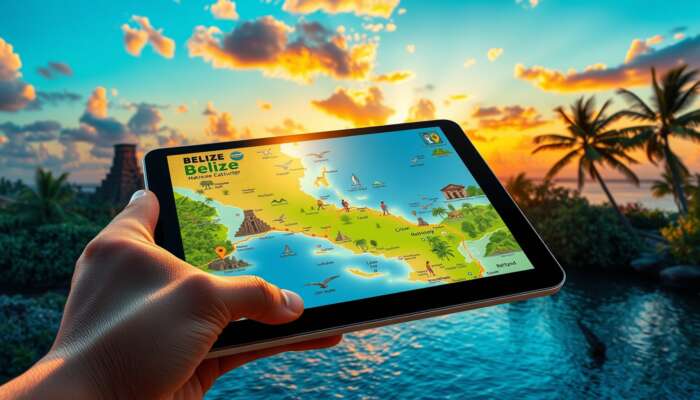
Open the interactive Belize map to find towns, routes, attractions and itinerary layers so you can get directions, pick stays, or build a plan in minutes.
- Planning routes between towns, reefs and ruins
- Layering hotels, ferries, and attractions for an itinerary
- Checking road vs. water travel and offline options
- Interactive layers (towns, roads, attractions, transport)
- Directions, custom route options, and accessibility notes
- Quick links to the full Belize travel guide and booking pages
Open the live map to try directions or scroll down for quick decision tables and timing guidance.
Quick Decision Table: What Do You Need From The Map?
| Goal | What to enable | Immediate action |
|---|---|---|
| I need turn-by-turn directions | Enable routing, traffic/road layer, and landmarks | Open directions, pick start/end, choose vehicle type |
| I want itinerary layers | Enable hotels, attractions, ferry and dive site layers | Toggle layers and save a route or share the link |
| I need an offline map | Download area tiles or export GPX for offline use | Select area, choose download, test on device |
Core Map Features And Layers (What To Toggle)
Focus your session by switching these layers on first; they cover the most common traveler needs.
- Towns & Services San Ignacio, Belize City, San Pedro, Placencia markers with hotels and ATMs.
- Roads & Ferry Lines Primary roads, secondary roads, and marine routes to the cayes.
- Attractions & Activities Maya ruins, Blue Hole access points, dive/snorkel sites and caves.
- Transport Modes Bus stops, domestic airstrips, ferry terminals and car-rental pickup points.
- Safety & Accessibility Road surface notes, wheelchair-accessible sites, and emergency services.
Directions: Accuracy, Tips And Common Pitfalls
Use the map’s directions for city-to-city travel and last-mile routing on islands; keep these accuracy tips in mind.
- Check The Mode choose car vs ferry vs walk—Belize mixes sealed roads and unpaved stretches.
- Use Landmarks many local directions reference landmarks (e.g., market, clinic) more than street names.
- Confirm Last-Mile Travel Cayes require a boat or short flight—verify departure times before you leave the mainland.
- Live Conditions if available, enable traffic and weather overlays; otherwise check local provider pages before long drives.
Timing & Booking Windows — When To Map Vs When To Book
Map planning and bookings are interdependent: use the map early to set routes, then lock transport and stays within recommended windows below.
| When to visit | When to book flights & hotels | Why it matters for maps |
|---|---|---|
| High season (Nov–Apr) | Book 2–4 months ahead | Ferries and island hotels fill fast; lock routes early |
| Shoulder season (May, Oct) | Book 1–2 months ahead | Better rates; map to check wet-season road advisories |
| Low season (Jun–Sep) | Book 2–4 weeks ahead for deals | Some services reduce frequency; confirm real-time schedules |
Performance And Accessibility Notes For Map Users
- Mobile First enable mobile tiles or a lightweight layer for slower connections.
- Keyboard & Screen-Reader prefer map controls that expose aria labels and keyboard shortcuts; test before relying on them in the field.
- Offline Strategy download tiles or export GPX for remote areas without mobile coverage.
- Data Usage long route planning and imagery layers consume mobile data—use Wi‑Fi when possible.
Quick Checklist: Plan A Route In 6 Actions
- Open the map and set your start and end points.
- Toggle layers: roads, ferries, hotels, and attractions.
- Switch mode (car/ferry/walk) and inspect any unpaved segments.
- Save the route and note departure times for ferries or flights.
- Download offline tiles or export GPX if coverage is unreliable.
- Confirm bookings for flights and hotels (see booking links below).
Use the map to finalize routes, then book flights and stays using these pages:
- Book flights to Belize — check domestic flight options to cayes and inland airstrips.
- Where to stay — toggle hotels layer to compare location vs route.
- Getting around Belize — logistic details that pair with mapped routes.
Where This Page Fits In Our Guides
This page is the focused interactive-map resource that supports our broader travel coverage. For step‑by‑step travel planning (visas, safety, long itineraries) use the full Belize travel guide. For local food and culture that pairs well with mapped itineraries, see Explore local ingredients.
Frequently Asked Questions
A: Use the full Belize travel guide above to access our interactive map and related tools; the guide centralizes routes, ferries and links to booking flows.
A: Yes—select an area in the map view, then choose the download tiles or export GPX option before you travel to remote districts.
A: Directions show routes and ferry terminals; always confirm exact departure times with operators and book domestic flights through the flight page linked above.

If you want a hands-on plan, open the full Belize travel guide, toggle the layers outlined above, save your route, and then lock flights and hotels using the links provided.

Liam Cartwright is an avid traveler and author specializing in Belize travel guides. With a passion for uncovering hidden gems and sharing local insights, he captures the essence of Belize’s vibrant culture, stunning landscapes, and diverse activities. Through his writing, Liam aims to inspire adventure seekers and empower travelers to explore the beauty of Belize with confidence and curiosity.
Your post on utilizing the interactive Belize map sheds light on an increasingly critical component of modern travel planning—technology’s role in enhancing our experiences. In an age where spontaneity often collides with the need for detailed arrangements, being able to visually see towns, routes, and attractions is invaluable. The ability to layer information such as hotels and ferries on a single map not only streamlines planning but also significantly reduces the stress associated with navigating new destinations.
I really appreciate the way this interactive map can simplify the planning process for navigating Belize. I remember when I was preparing for my own trip, I often felt overwhelmed trying to balance the various locations I wanted to explore with the logistics of getting there. This kind of tool would have made it so much easier to weigh my options and prioritize what matters most, like travel time versus the experiences I didn’t want to miss.
I love how you highlighted the practicality of the interactive map for planning trips in Belize! When I visited, I found it invaluable for mapping out my days between towns and must-see attractions, especially with the mix of road and water travel. One thing I wish I had considered more was the timing for ferry schedules – they can really make or break a day of exploring!
I must say, your guide on utilizing the interactive Belize map is like a treasure map for the modern-day adventurer—minus the pirate ships and buried gold, of course! The fact that I can layer hotels, ferries, and attractions sounds like an absolute game-changer, especially in a place as rich in beauty and culture as Belize. It kind of reminds me of those old-school board games where you’d painstakingly lay out your paths and resources, only now I don’t have to worry about landing on a snake that takes me back three spaces!
I love the idea of a map that layers all those details—it’s like a travel Swiss Army knife! Using it to plan routes between towns and attractions sounds super handy, especially in Belize where every corner seems to have a new adventure waiting. Just imagine: your itinerary is set, and then suddenly, a beach bar with live music pops up—do you trade off your carefully planned afternoon for some impromptu dancing? Decisions, decisions!
This interactive map sounds like a dream for the indecisive traveler! I mean, who hasn’t spent an hour debating whether to visit a Mayan ruin or lounge at a beach bar, only to end up deciding on a nap instead? I love how the layers let us stack our options like a game of Tetris (except without the anxiety of being crushed by blocks).
I have to say, I’ve always appreciated a good map—there’s something inherently nostalgic about spreading one out on a table and plotting my next adventure. It reminds me of those childhood road trips where my family argued over the best route while I tried to put my finger on the next snack stop. Speaking of snacks, I’m curious if this interactive map has a layer dedicated to must-try eateries in Belize? Because I’d definitely prioritize a *panades* or two over staring at ancient ruins!
Your exploration of the interactive Belize map truly underscores the significance of strategic trip planning, especially in a destination as diverse and vibrant as Belize. The layered options—ranging from towns and attractions to various travel modes—highlight the importance of understanding not just the geography, but also the interconnectedness of experiences that Belize has to offer.
It’s fascinating to see how interactive maps can reshape our approach to travel planning, particularly for a destination as vibrant and diverse as Belize. The ability to layer different elements—like towns, routes, accommodations, and attractions—into one cohesive tool not only streamlines the planning process but also enhances our ability to make informed decisions. I think this is especially crucial when exploring a country rich in natural beauty and cultural heritage, like Belize.
The potential of the interactive Belize map for travelers truly can’t be understated. I appreciate how it emphasizes the necessity of making informed decisions based on clear visualizations of routes and attractions. Planning a trip can often feel overwhelming, especially in a place as diverse as Belize, where you have the choice between stunning reefs, historical ruins, and vibrant towns.
I found your insights about the interactive Belize map quite enlightening. This tool seems like a perfect bridge for travelers to merge their expectations with the reality of exploring such a vibrant country. Belize’s diverse landscape, from its stunning barrier reefs to the enchanting Mayan ruins, can be daunting for first-time visitors, but your emphasis on utilizing technology to facilitate the planning process makes the experience feel more manageable and enjoyable.
Your exploration of the interactive Belize map is fascinating and highlights the growing trend of technology enhancing travel experiences. I love the idea of having all those layers at your fingertips when planning a trip. It makes me reflect on my own travel experiences, particularly in Central America, where navigating new places can sometimes feel overwhelming.
I appreciate your detailed overview of the interactive Belize map; it really illuminates how such tools can empower travelers in their planning process. Having recently returned from a trip to Belize, I can attest to the value of a well-thought-out itinerary, especially given the richness of experiences the country has to offer. What struck me most during my visit was the diversity of landscapes—from the bustling towns to serene rural areas and breathtaking marine settings.
This interactive Belize map seems like a fantastic tool for travelers eager to explore the rich culture and stunning landscapes of Belize. Having layers that include attractions, lodging, and travel routes will undoubtedly streamline the planning process. Personally, when I traveled to Belize, I found that having a clear visual layout helped me prioritize what I wanted to see, especially balancing the must-see ruins like Caracol with relaxing at the beach in Placencia.
I appreciate how your post highlights the practical benefits of using an interactive map for planning a trip to Belize. It reminded me of my own experience navigating through various destinations in Central America. The ability to layer information about towns, attractions, and transport options truly can simplify the decision-making process in a region teeming with beautiful but disparate offerings.
It’s interesting to see how interactive maps like the one you mentioned can enhance travel planning, especially in a diverse destination like Belize where there are so many attractions spread out over different terrains. I appreciate how the map allows for layering of hotels and attractions, making it easier to visualize a trip’s flow and logistics.
This interactive Belize map is a valuable tool for anyone wanting to explore the rich cultural and natural landscapes of Belize. By layering information about towns, transportation, and attractions, it helps streamline the planning process significantly. I appreciate how it encourages travelers to consider not just their destinations but also the logistics involved in getting there. For instance, the emphasis on checking both road and water travel options resonates with me, as I’ve found that some of the most scenic routes in Belize are via boat.
I love how you’ve laid out the benefits of using the interactive map for planning a trip to Belize. It’s incredible how technology can simplify travel planning and minimize those pesky surprises that often come with exploring new places. I was thinking about my last trip to Belize a couple of years back. I spent way too much time navigating between the different attractions without a roadmap, which ultimately turned into a bit of a chaotic adventure. Having something like this map would’ve made it so much smoother!
The interactive Belize map is such a valuable resource for planning a trip, especially given how diverse the landscape is. I appreciate how it emphasizes both road and water travel options. It reminds me of my own travels, where I sometimes wasted time deciding between different routes that could have been better planned with a tool like this.
Exploring Belize through an interactive map is an excellent way to tailor travel experiences to personal preferences. The emphasis on prioritizing requirements and understanding trade-offs resonates deeply, especially when planning a trip to a place as diverse as Belize, with its rich cultural history and stunning natural landscapes.
Using an interactive map while planning a trip can truly transform the experience of travel. By layering options like towns, attractions, and routes, we can visualize our journey in a way that resonates with our personal interests and pace. I remember planning my own trip to a coastal destination, where I relied heavily on a similar tool. It allowed me to pinpoint not just the must-see attractions but also hidden gems that I might have overlooked otherwise.
The interactive Belize map sounds like an incredibly useful tool for anyone looking to navigate the rich tapestry of experiences that Belize offers. I particularly appreciate how it emphasizes planning with a clear purpose—prioritizing requirements and considering trade-offs can really enhance the travel experience.
I love the idea of using an interactive map for travel planning—it’s like giving your brain a high-speed GPS upgrade! The thought of layering in hotels and attractions feels a bit like playing Tetris with your itinerary, but with fewer game over screens. Have you ever been to a place where you finally found the perfect route only to realize the closest hotel is a llama farm three hours away? Yikes!
The interactive map of Belize you’ve mentioned truly seems like a game changer for travelers planning their visits. The idea of layering hotels, attractions, and transportation options resonates particularly well for those of us trying to maximize our time and experience in new destinations. When I traveled to Belize last year, I found that having visual tools made a significant difference in navigating both the popular tourist sites and the hidden gems.
I love the idea of using an interactive map to streamline travel planning in Belize! It makes so much sense to layer attractions, accommodations, and transport options. I remember when I traveled to Belize last year, piecing together itineraries often felt overwhelming—trying to balance travel times with the must-see spots like the Great Blue Hole and the ancient ruins of Tikal.
Your detailed breakdown of the interactive Belize map is incredibly useful, especially for travelers who might feel overwhelmed by the plethora of options available when planning a trip. It’s so true that having a clear plan can make all the difference in ensuring a stress-free experience. I love how you’ve emphasized the importance of prioritizing requirements and considering trade-offs; this is something I’ve learned the hard way during my own travels!
I really appreciate the emphasis on using the interactive map to facilitate travel planning in Belize. It’s interesting how technology can transform our travel experiences, making it easier to access all the information we need to make informed choices. I remember my last trip, where I relied heavily on maps to navigate, but this interactive approach could have saved me so much time and stress.
I really appreciate the details you’ve shared about the interactive Belize map! It sounds like an incredibly useful tool for anyone planning a trip there. When I’ve traveled, I’ve often felt overwhelmed by all the options available, especially in such diverse locations like Belize. Having a resource that simplifies the decision-making process by allowing users to layer different aspects—such as towns, attractions, and routes—seems invaluable.
I really appreciate how you’ve laid out the functionality of the interactive Belize map! It seems like it would make planning a trip a lot less daunting, especially in a place as diverse and rich in culture as Belize. I remember when I was planning my own trip a couple of years ago, I was overwhelmed with all the options—there’s just so much to see and do!